

Quick start
This guide takes you from nothing to a published entry and two working API calls. You will:
- install Colophon on your machine with Docker and become its administrator;
- create a project and a content type, write an entry, publish it, and read its receipt;
- make an API token in the Studio, then call the delivery API and the management API with
curland with the TypeScript SDK, seeing every request, header and response.
Every command and response on this page is run against a fresh Colophon by this site’s CI, so
what you see is what the current main branch answers.
Part A: Install Colophon and sign in
Section titled “Part A: Install Colophon and sign in”-
Build and start Colophon. Colophon isn’t published as a container image yet, so you build it from a clone. Docker compiles everything; the build takes about ten minutes on a laptop, and starting takes under a minute after that.
Terminal window git clone https://github.com/akira-shirase-oss/colophon-cms.gitcd colophon-cmsdocker build -f deploy/image/Dockerfile \--build-arg COLOPHON_COMMIT="$(git rev-parse HEAD)" \--build-arg SOURCE_DATE_EPOCH="$(git log -1 --format=%ct)" \-t colophon:local .cd deploy/quickstartecho "COLOPHON_IMAGE=colophon:local" >.envdocker compose up -d --waitup --waitreturns once Colophon is ready. On the first start it generates every secret, creates the database roles, applies the schema and creates the storage bucket. PostgreSQL, Valkey (the cache) and Garage (storage for uploads) run beside Colophon, but only Colophon’s port is published, and only on127.0.0.1.Every later command in this guide runs in this folder,
colophon-cms/deploy/quickstart. -
Open the Studio at
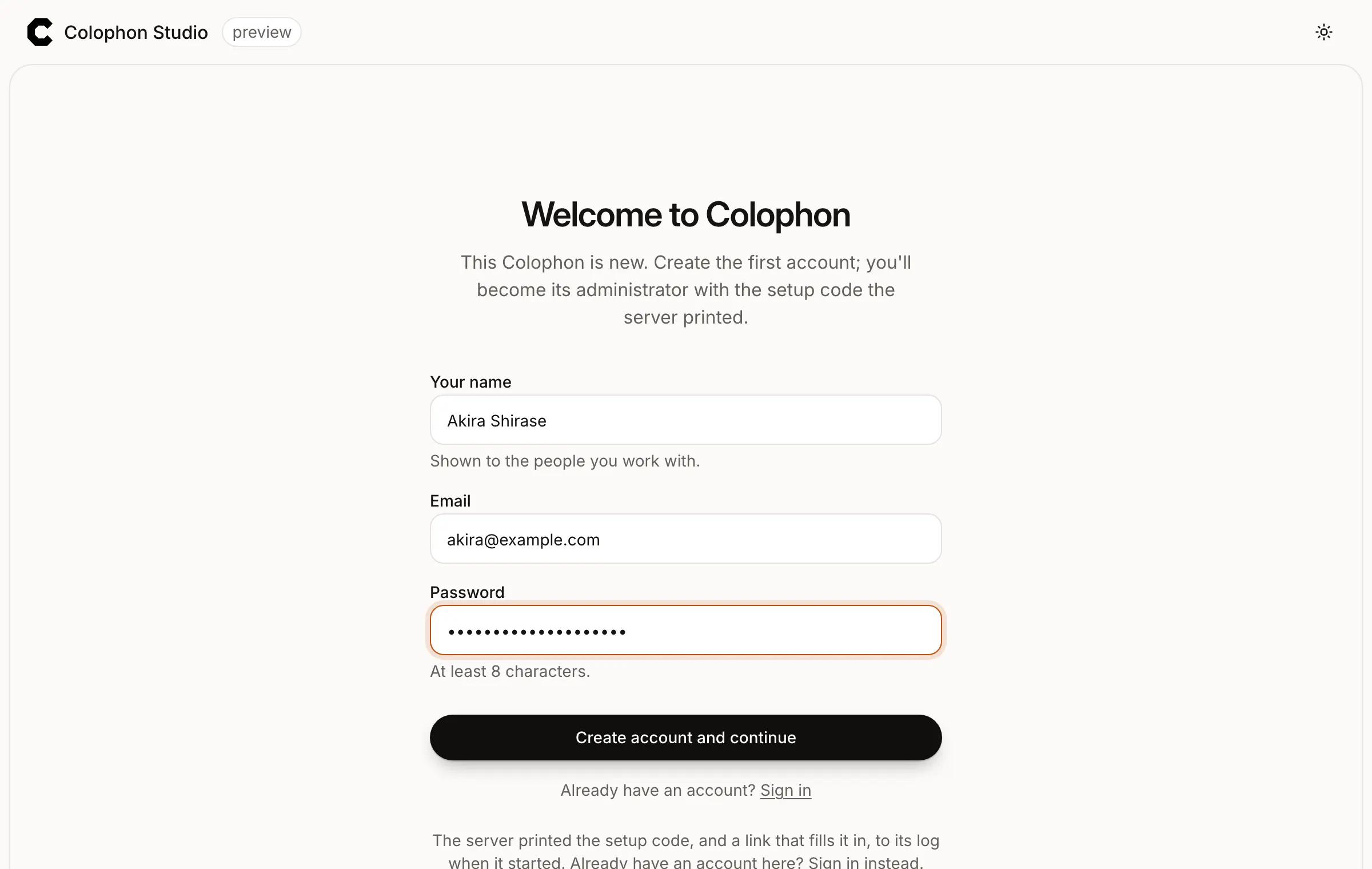
http://localhost:8080/studio/in your browser. Uselocalhost, not127.0.0.1: sign-in trusts the address Colophon was told it lives at.The Studio sees that nobody runs this Colophon yet and asks for the first account.
-
Create the first account. Fill in Your name, Email and a Password of at least 8 characters, then press Create account and continue.
-
Become the administrator. When the server started, it printed a one-time setup code to its log. Read it:
Terminal window docker compose logs colophon | grep "Setup code"colophon-1 | Setup code: Y9DRC-35N2Y-3V608-0R846Enter it under Setup code and press Become the administrator. The code works once, for an hour after the server started;
docker compose restart colophonprints a new one while nobody is an administrator.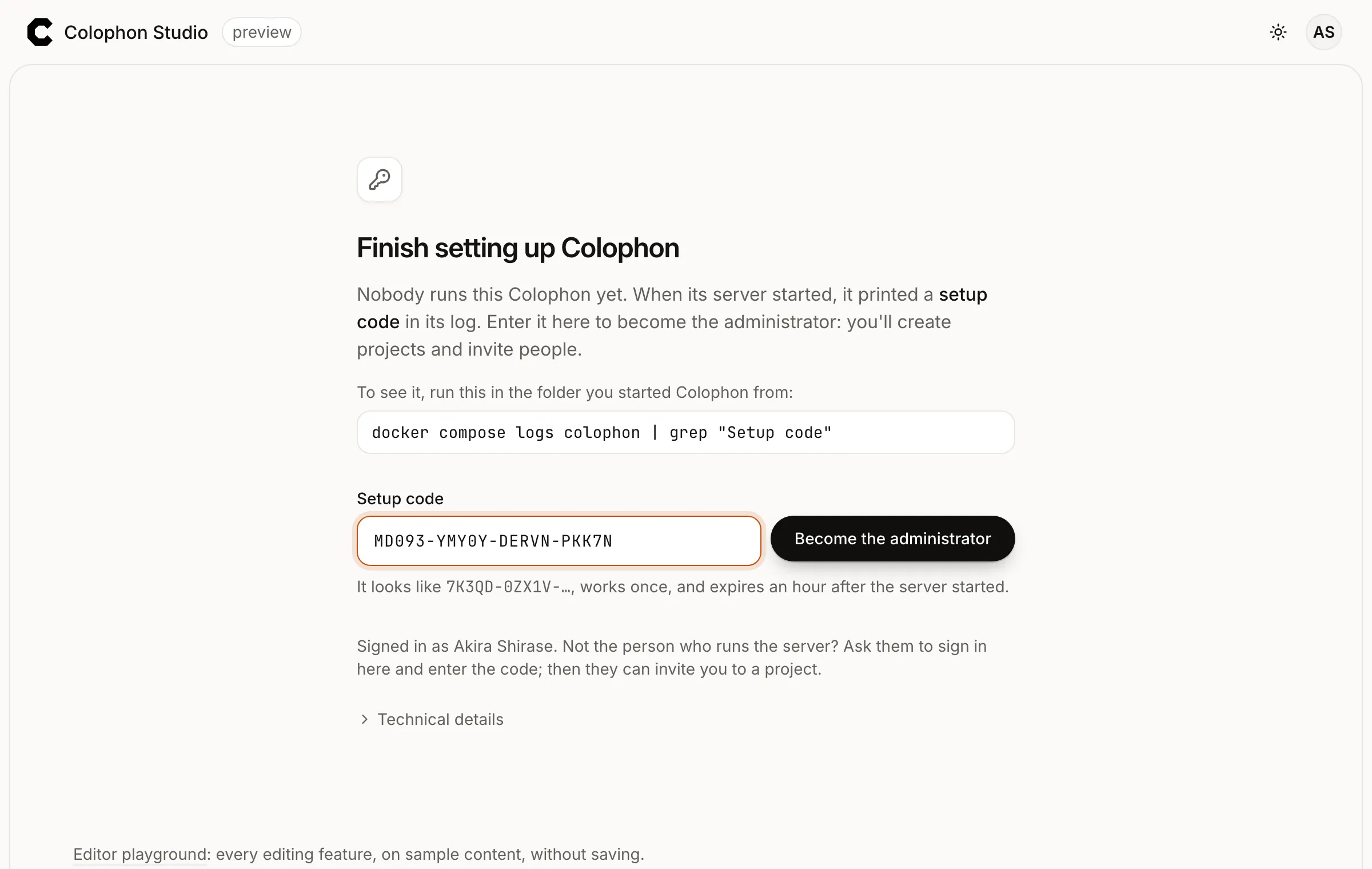
Part B: Create content and publish it
Section titled “Part B: Create content and publish it”-
Create a project. A project is one website’s content: its entries, the people who write them, and its releases. Under Create your first project, type the Name
Field notes. The URL name fills itself in asfield-notes. Keep A small blog selected and press Create project.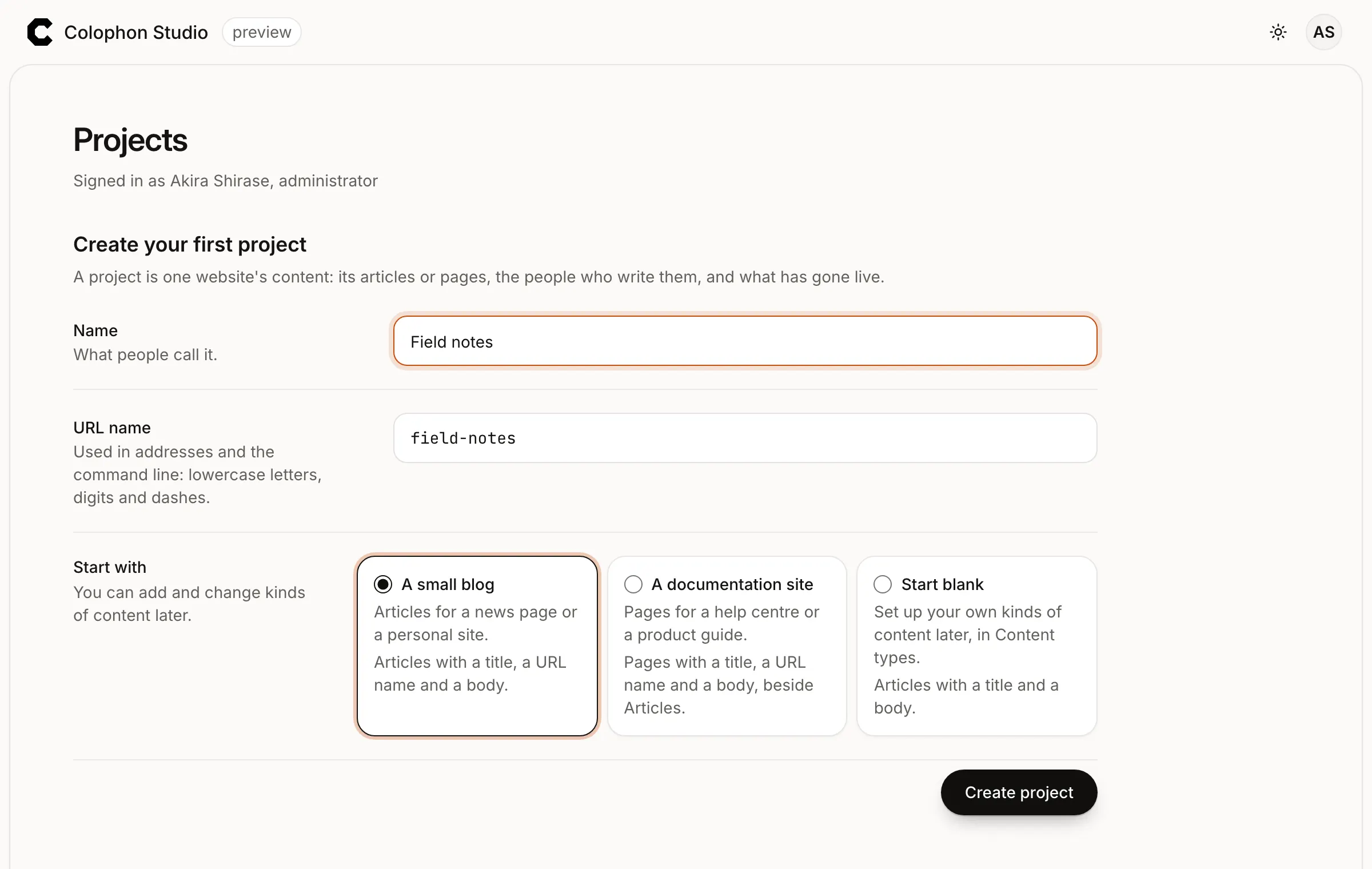
The project opens on its Overview, with a Get started list. Each project starts with one environment,
production, which the API addresses use. -
Create a content type. A content type is a kind of content and its fields. The small blog gave you Articles; make one of your own. In the sidebar, open Content types and press New content type.
- Name:
Recipes. The Address name becomesrecipes; that is the name the API uses, and it can’t change later. - What is each one called?
Dish. - It holds: keep Many entries.
Press Create. Then add two fields with Add a field:
- Number, labelled
Minutes, with Whole numbers only ticked; - Rich text, labelled
Method.
Press Save. Each field’s Code name (
dish,minutes,method) is the key it has in the API.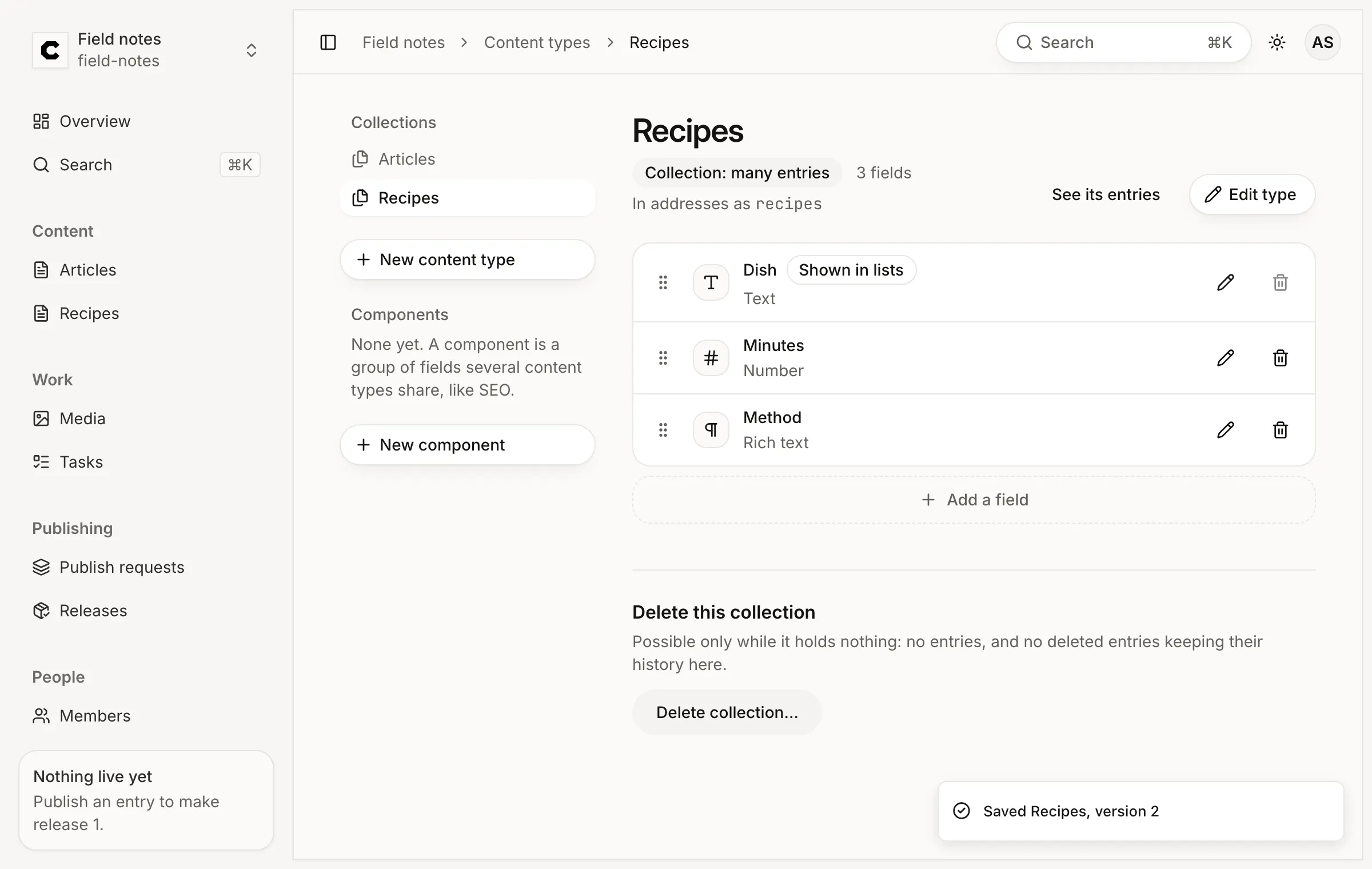
- Name:
-
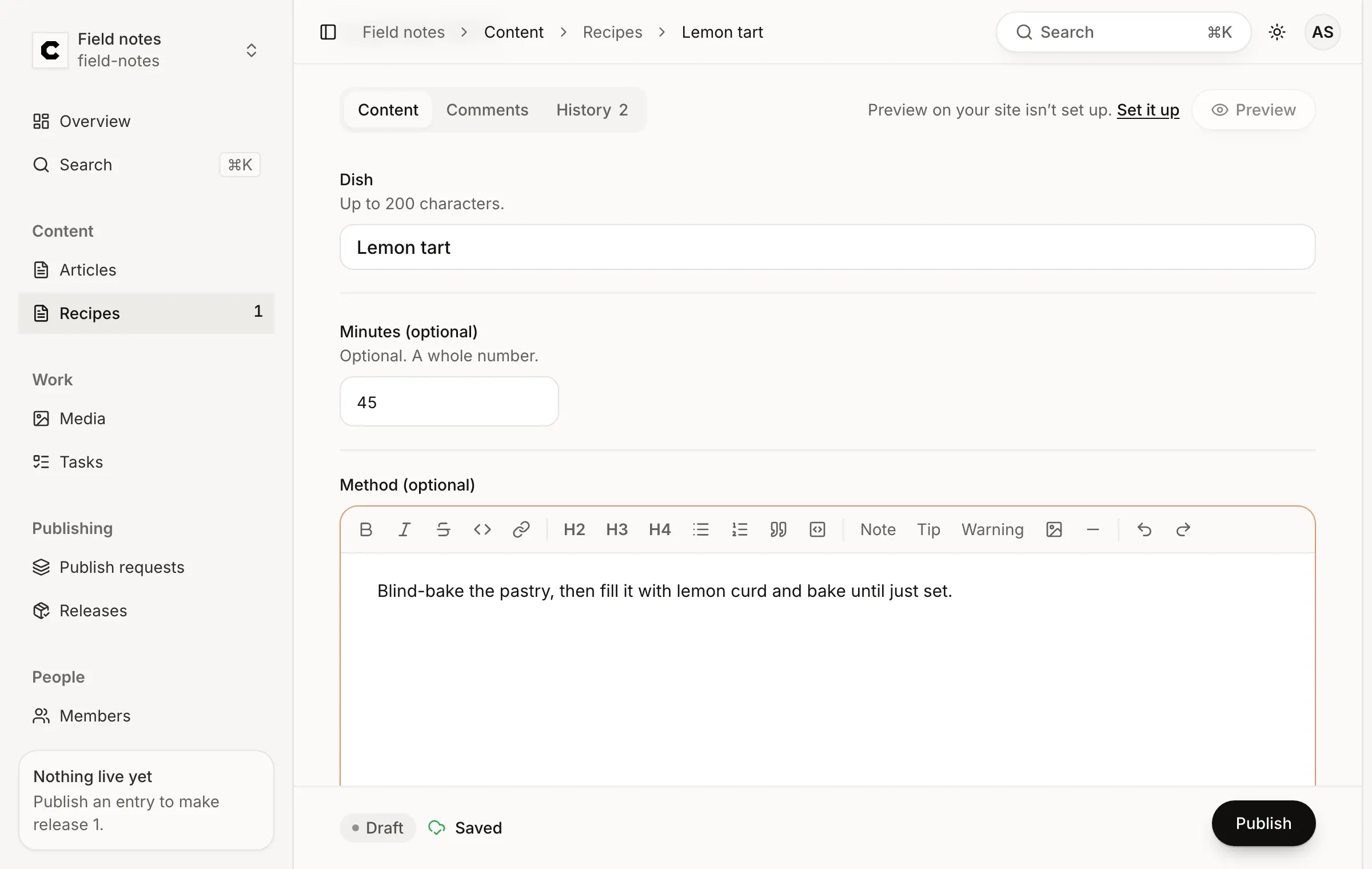
Write an entry. Open Recipes in the sidebar, press New entry, type the Dish
Lemon tartand press Create. In the editor, set Minutes to45and write the Method: Blind-bake the pastry, then fill it with lemon curd and bake until just set.There is no save button. The panel on the right says Saved after each change, and the entry is a Draft: readers can’t see it.
-
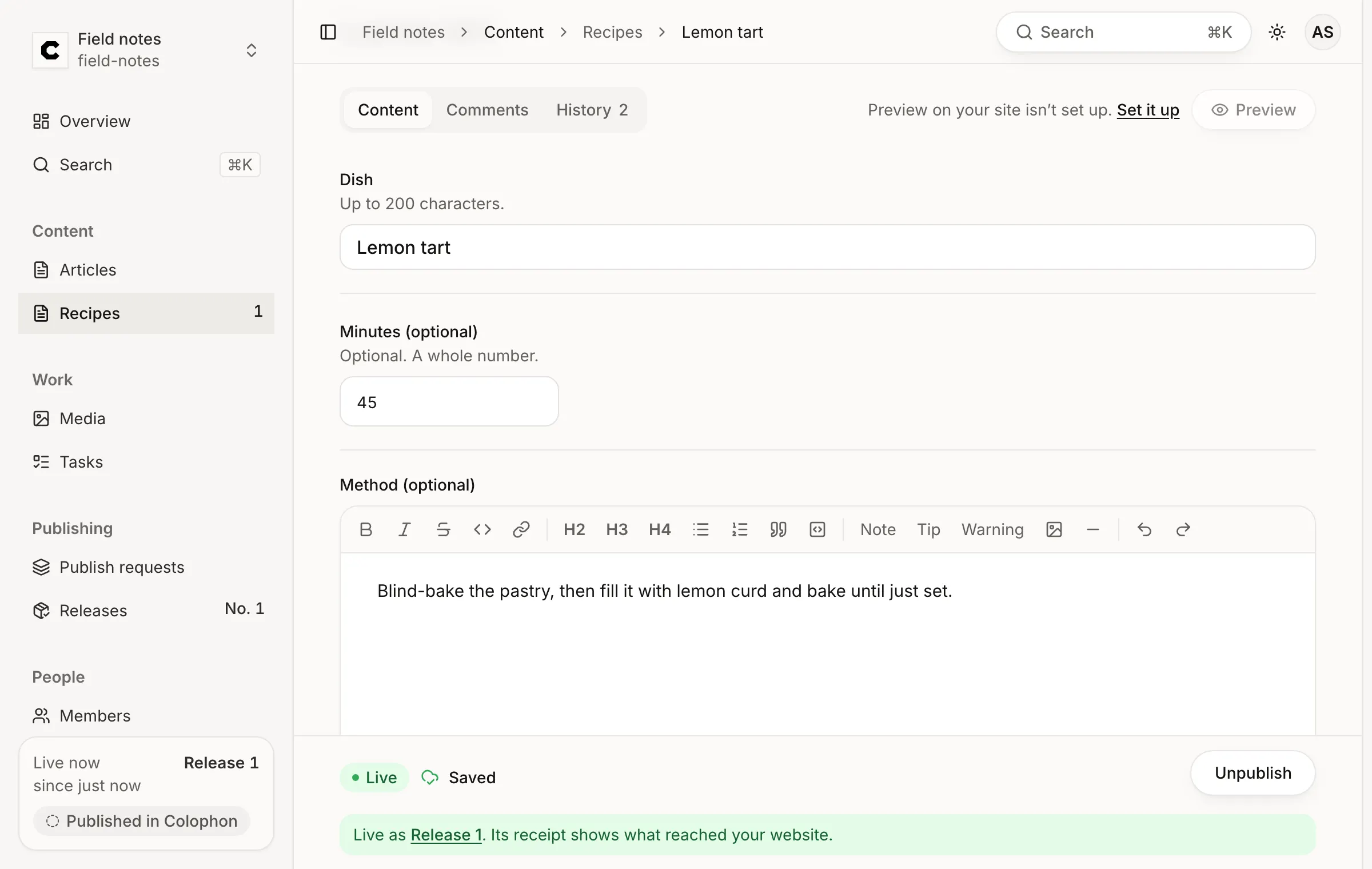
Publish it. Press Publish. As the project’s owner you may approve your own changes, so one press makes a publish request, approves it and publishes it. The panel now says Live and names Release 1.
-
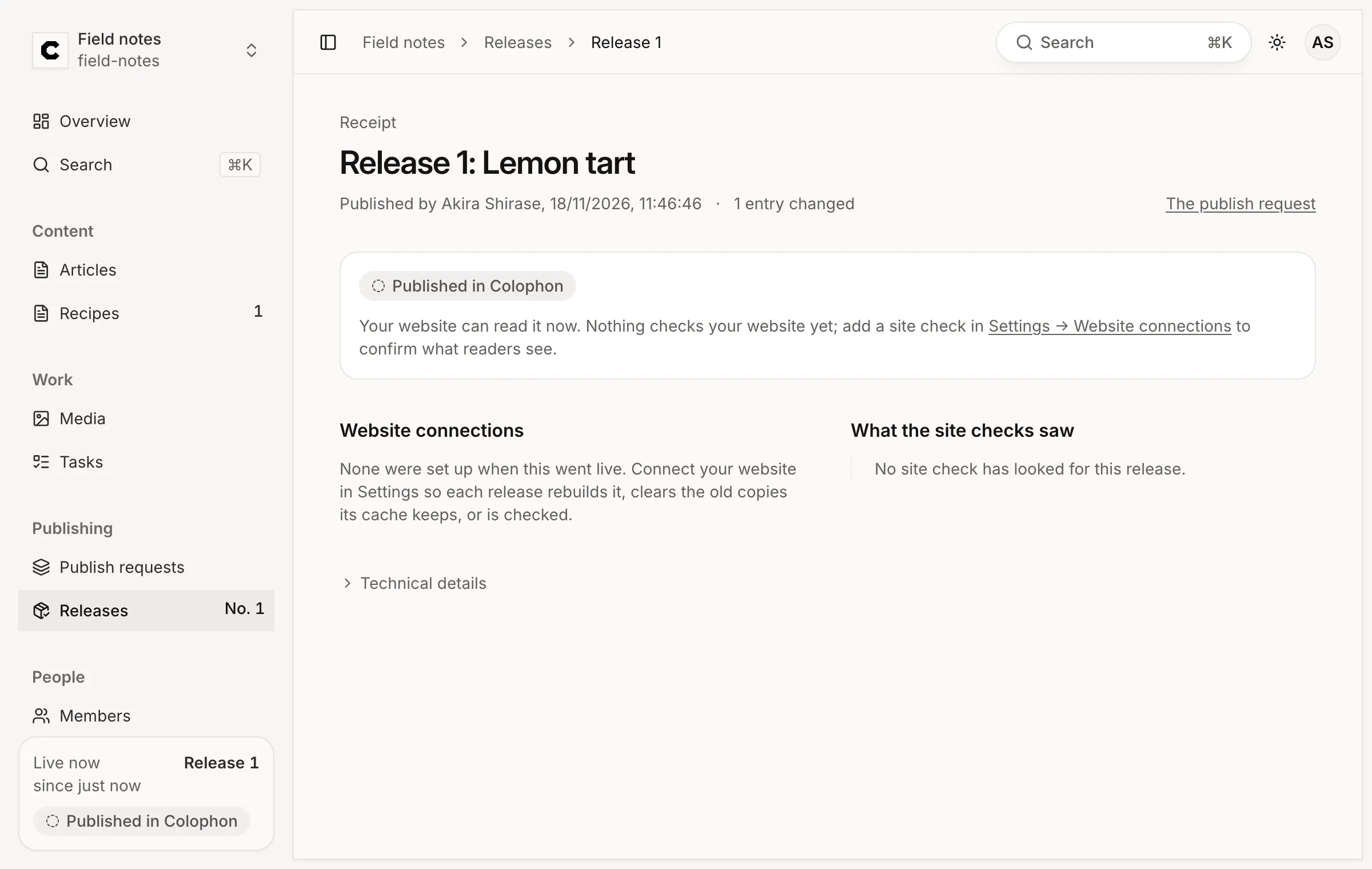
Read the receipt. Press Release 1. A release is a numbered record of what went live, and its receipt says who published it, what changed and what each website connection reported. You haven’t connected a website yet, so it says what to add.
Part C: Call the APIs with a token
Section titled “Part C: Call the APIs with a token”Colophon has two HTTP APIs, and they treat credentials differently:
| API | Path | Credential |
|---|---|---|
| Delivery | /content/v1/{project}/{environment}/… |
None. Anyone can read what is published. |
| Management | /api/v1/projects/{project}/… |
Required. An API token, or a person’s sign-in. |
An API token is for a script, a site build or another tool: it acts on one project’s content with the powers you give it, and it ends on a date you choose.
-
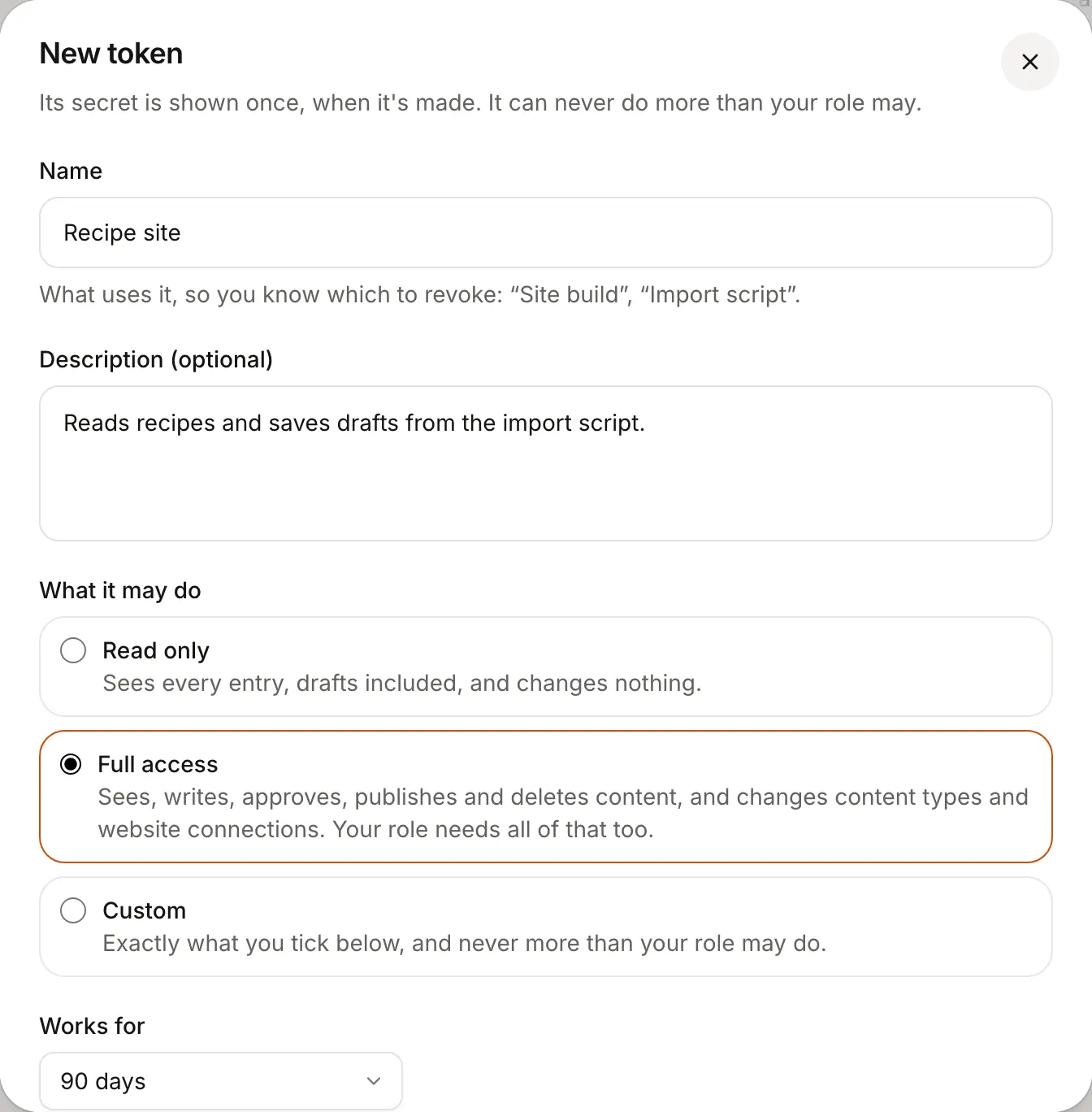
Make an API token. Open Settings in the sidebar, then API tokens, and press New token.
- Name:
Recipe site, so you know later what uses it. - What it may do: Full access (it may read, write and publish content). A site that only reads drafts needs Read only; Custom picks exact powers per content type.
- Works for: keep 90 days.
Press Make the token.
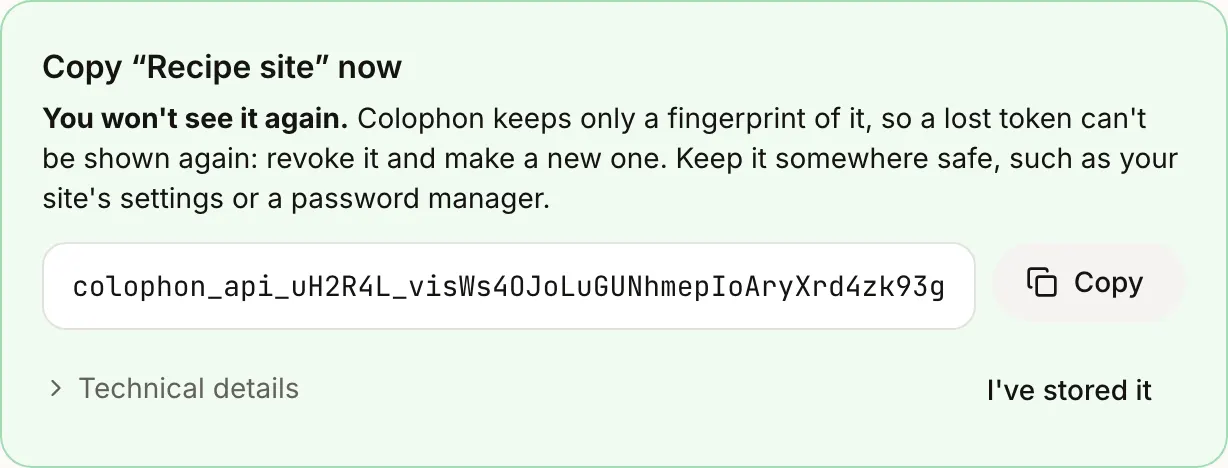
The token is shown once. Press Copy, keep it somewhere safe, then press I’ve stored it. Colophon keeps only a fingerprint of it, so a lost token can’t be shown again: revoke it and make another.
- Name:
-
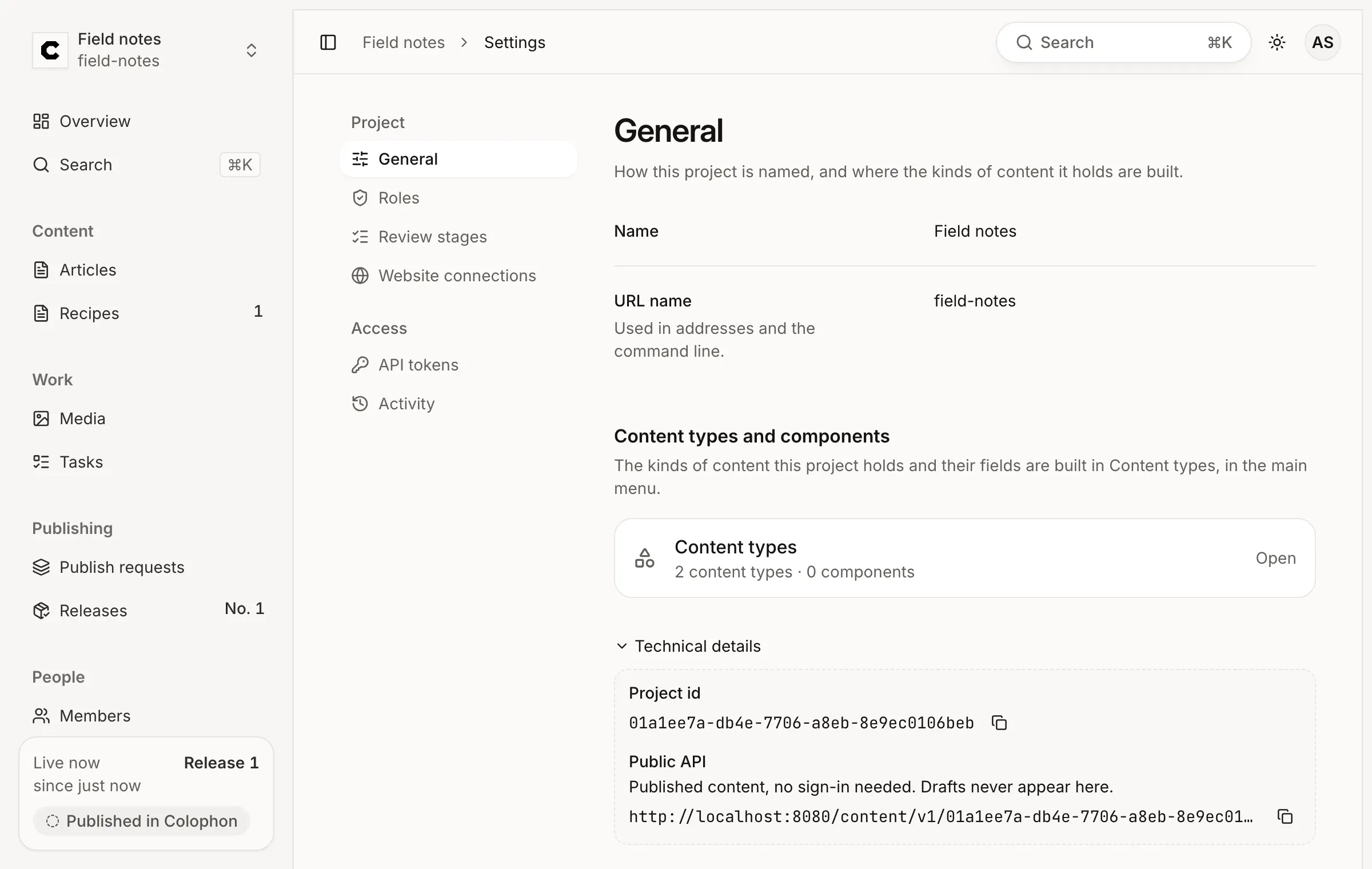
Copy the project id. The APIs address a project by its id. Open Settings → General, expand Technical details, and copy the Project id.
-
Put both in your shell. Use the values you copied:
Terminal window export PROJECT='01a1ee5f-4b65-74f3-a0b8-0bd2bc61446d' # your Project idexport COLOPHON_TOKEN='colophon_api_…' # your token -
Read published content: the delivery API, no token. This is what your website calls.
Terminal window curl -i "http://localhost:8080/content/v1/$PROJECT/production/recipes"Response:
200 OKwith the published Lemon tartHTTP/1.1 200 OKcontent-type: application/jsoncolophon-generation: 1cache-control: public, max-age=0, must-revalidate, s-maxage=30etag: "c907d1951d8934ba38499ad57c89a212"colophon-cache: misscache-tag: colophon:p:01a1ee742617729691a0d6476f0f925b,colophon:p:01a1ee742617729691a0d6476f0f925b:e:01a1ee742619766385ef304a7b48ee66,colophon:p:01a1ee742617729691a0d6476f0f925b:e:01a1ee742619766385ef304a7b48ee66:c:recipesx-request-id: 01a1ee74-2808-70c1-a4d7-5097aadfc018content-length: 566date: Wed, 18 Nov 2026 11:39:12 GMT{"data": [{"id": "01a1ee74-26a8-72f3-815d-06c35ae7782c","revision_id": "01a1ee74-2701-7272-9541-b172eb0b1727","collection": "recipes","title": "Lemon tart","content": {"dish": "Lemon tart","minutes": 45,"method": {"schema": "colophon/rich-text","version": 1,"doc": {"type": "doc","content": [{"type": "paragraph","content": [{"type": "text","text": "Blind-bake the pastry, then fill it with lemon curd and bake until just set."}]}]}}},"content_hash": "sha256:075313827411195cd4c97eea85eb43a5f66170ece029ed5e3afb8dd517265702","published_in": 1,"visibility": "public"}],"next_cursor": null}What the headers tell you:
colophon-generation: 1: the answer comes from release 1. Add?generation=1to pin a read to a release, so a page built from several reads never mixes two releases.etagandcache-control: send the ETag back asIf-None-Matchand an unchanged answer is304 Not Modified. Shared caches may keep it for 30 seconds (s-maxage=30).colophon-cache: whether Colophon’s own cache answered (hit) or the database did (miss).cache-tag: the tags a CDN purge uses after the next publish.x-request-id: quote it when you report a problem; error bodies carry the same id.
-
Read drafts: the management API, with the token. The token goes in the
Authorizationheader, as a bearer token. The management API answers with drafts, whether published or not.Terminal window curl -i "http://localhost:8080/api/v1/projects/$PROJECT/environments/production/collections/recipes/entries" \-H "Authorization: Bearer $COLOPHON_TOKEN"Response:
200 OKwith the draft and where it is publishedHTTP/1.1 200 OKcontent-type: application/jsonx-request-id: 01a1ee74-281d-77a9-bc74-26260a406ff7content-length: 629date: Wed, 18 Nov 2026 11:39:12 GMT{"data": [{"id": "01a1ee74-26a8-72f3-815d-06c35ae7782c","created_by": "01a1ee74-2549-74be-9e59-754b0adafad3","updated_at": "2026-11-18T11:39:11.997793Z","revision": {"id": "01a1ee74-2701-7272-9541-b172eb0b1727","base_revision_id": "01a1ee74-26a8-72f3-815d-06c275ac92ed","author_id": "01a1ee74-2549-74be-9e59-754b0adafad3","created_at": "2026-11-18T11:39:11.997793Z","content_hash": "sha256:075313827411195cd4c97eea85eb43a5f66170ece029ed5e3afb8dd517265702","title": "Lemon tart","visibility": "public"},"published": {"revision_id": "01a1ee74-2701-7272-9541-b172eb0b1727","generation": 1},"locale": null,"visibility": "public"}],"next_cursor": null}publishedsays which revision readers get, and in which release. Without the header the same request is401 unauthorized; Authentication & API tokens lists every refusal. -
Write a draft with the token. A write that creates something needs an
Idempotency-Key: if the answer is lost and you send the same request again with the same key, Colophon returns the first result instead of creating a second entry. Use any 16 to 128 letters, digits,-and_.Terminal window curl -i -X POST "http://localhost:8080/api/v1/projects/$PROJECT/environments/production/collections/recipes/entries" \-H "Authorization: Bearer $COLOPHON_TOKEN" \-H "Content-Type: application/json" \-H "Idempotency-Key: create-shortbread-0001" \-d '{"dish": "Shortbread", "minutes": 30}'Response:
201 Createdwith the new draftHTTP/1.1 201 Createdcontent-type: application/jsonetag: "01a1ee74-2846-7434-a943-0a09f1aefee3"x-request-id: 01a1ee74-2842-72f5-82f5-9324000e1afccontent-length: 622date: Wed, 18 Nov 2026 11:39:12 GMT{"data": {"id": "01a1ee74-2846-7434-a943-0a0a64d6ba97","collection": "recipes","created_at": "2026-11-18T11:39:12.323454Z","created_by": "01a1ee74-27eb-779c-9f6f-e6f270b7ac15","updated_at": "2026-11-18T11:39:12.323454Z","revision": {"id": "01a1ee74-2846-7434-a943-0a09f1aefee3","base_revision_id": null,"author_id": "01a1ee74-27eb-779c-9f6f-e6f270b7ac15","created_at": "2026-11-18T11:39:12.323454Z","content_hash": "sha256:e4d0ff92f328ce802e3c6ceef86911aec32043adc8fef45722afaeb34aa02719","title": "Shortbread","visibility": "public"},"content": {"dish": "Shortbread","minutes": 30},"locale": null,"localizations": [],"visibility": "public"}}The body is the entry’s content, keyed by each field’s code name, and Colophon checks it against the content type:
"minutes": "thirty"is refused with422and a pointer to/minutes. Theetagis the new revision; a later save sends it back asIf-Match, so it can never overwrite a change it didn’t see. -
Check what readers get. The new entry is a draft, so the delivery API still answers with the Lemon tart alone:
Terminal window curl -s "http://localhost:8080/content/v1/$PROJECT/production/recipes" | grep -o '"title":"[^"]*"'"title":"Lemon tart"To publish it from a script, open a publish request, send it for review and publish it once a person has approved it: Management API.
-
Do the same with the TypeScript SDK.
@colophon-cms/sdkisn’t on npm yet, so build its package from your clone. Fromcolophon-cms/deploy/quickstart:Terminal window cd ../..npm ci --workspace @colophon-cms/sdk --include-workspace-root=false --no-audit --no-fund >/dev/nullnpm pack --workspace @colophon-cms/sdk --silentcolophon-cms-sdk-0.1.0-alpha.1.tgzMake a small project beside the clone and install the package into it:
Terminal window mkdir ../recipe-script && cd ../recipe-scriptnpm init -y >/dev/nullnpm install --no-audit --no-fund ../colophon-cms/colophon-cms-sdk-0.1.0-alpha.1.tgz >/dev/nullSave this as
quick-start.mjs:quick-start.mjs import { Client, newIdempotencyKey } from '@colophon-cms/sdk';const baseUrl = 'http://localhost:8080';const project = process.env.PROJECT;// Published content: the delivery API needs no credential.const site = new Client({ baseUrl }).delivery(project); // the production environmentconst published = await site.list('recipes');console.log('published:', published.data.map((entry) => entry.title));// Drafts and writes: the management API, with the token.const cms = new Client({ baseUrl, token: process.env.COLOPHON_TOKEN }).environment(project);const drafts = await cms.listEntries('recipes');console.log('drafts:', drafts.data.map((entry) => entry.revision.title));const created = await cms.createEntry('recipes',{ dish: 'Scones', minutes: 25 },{ idempotencyKey: newIdempotencyKey() }, // keep the key if you retry this write);console.log('created:', created.data.revision.title, created.response.status);Run it with the same two variables in your environment:
Terminal window node quick-start.mjspublished: [ 'Lemon tart' ]drafts: [ 'Shortbread', 'Lemon tart' ]created: Scones 201The SDK sends the same requests you sent with
curl. A refusal throws anApiErrorwith the status, the errorcode,details.reasonand the request id.
What’s next
Section titled “What’s next”To stop Colophon, run docker compose down in colophon-cms/deploy/quickstart; your content stays in
Docker volumes until you add --volumes.